See the six-month future balance direction before a thin month needs attention.
Due next
Keep recurring obligations, approvals, and statement follow-up in one visible queue.
Review step
Capture the expense, approve the bill, or check safe-to-spend from the same baseline.
Household planning view
Sample data
Runway
6.4months
After rent, utilities, debt payments, and groceries.
Due next
Rent in 4 days
$1,480 with utilities directly behind it.
Approve the rent transfer
The page surfaces the next operational task instead of leaving you in report mode.
Inbox, receipts, and documents
Notes, attachments, and statements stay close to the eventual ledger entry.
Budget, forecast, and trends
Current spending and future pressure stay inside the same financial story.
Money Helper
Ask plain-language money questions without leaving the app
Use the built-in Money Helper to ask what is due, check budgets, understand spending pressure, and prepare expense entries. It shows the planned change first and waits for your confirmation, so everyday tracking stays review-first.
Ask about safe-to-spend, due bills, budgets, and forecast pressure in normal language
Reviewed changes
Prepared expenses, transfers, and budget changes preview first and wait for approval
Identity masking
Email, IBANs, card numbers, and account names are stripped before requests reach Google Gemini
Developer access
Optional MCP/API tokens stay scoped, revocable, and separate from everyday use
Bulk edit & spreadsheets
Edit hundreds of rows at once — without leaving the app
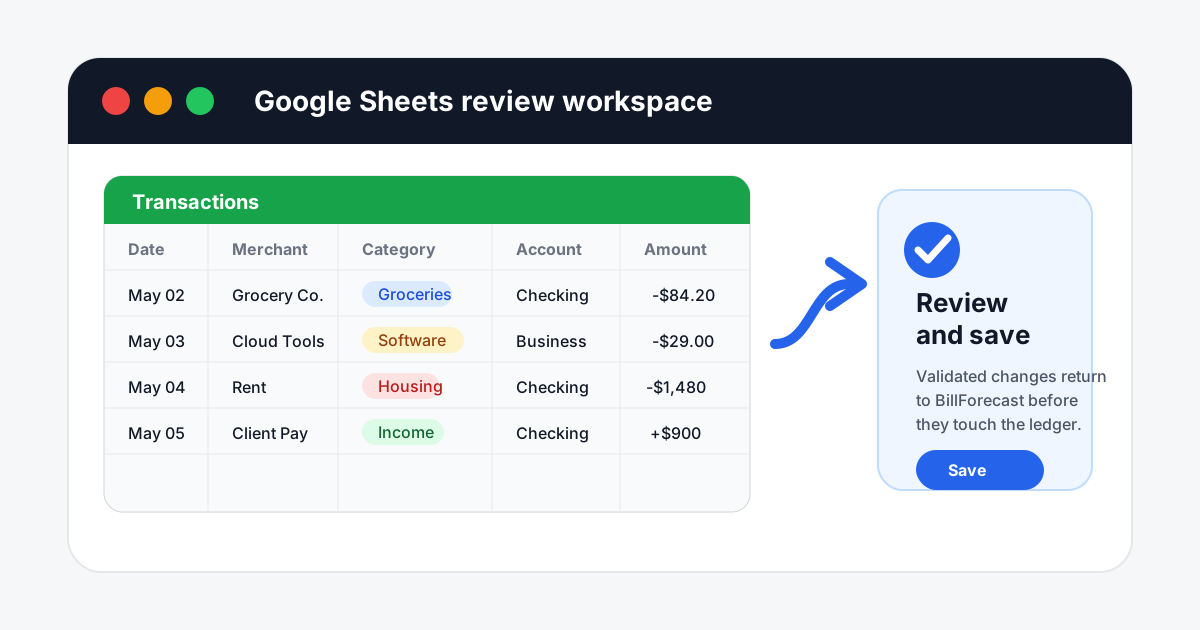
Open a built-in spreadsheet on transactions, accounts, or recurring bills and edit rows in place with autosave and validation. Google Sheets stays available for the cases that genuinely need an external grid.
In-app grid
Transactions, accounts, and recurring bills with autosave
Same validators
Invalid rows are caught before they reach the ledger
The point is not more features. The point is keeping the parts that explain household money pressure close enough to make a decision without opening five different tools.
Status
Answer the first three money questions on one screen
The signed-in dashboard is built to answer "what is safe to spend, what is due next, and what should I review now?" before you open a report.
Current balance and six-month runway in the same view
Immediate obligations and next actions in a side rail
Quick actions for capture, approvals, and planning
Capture
Keep notes, receipts, and statements close to the ledger
BillForecast handles quick notes, receipt uploads, and statement workflows without treating them as separate admin chores.
Inbox for notes and receipt capture
Verify Balance for OCR review and reconciliation
Supporting records stay attached to the transactions they explain
Commitments
Track recurring bills as future pressure, not after-the-fact history
Subscriptions, rent, debt payments, insurance, and other commitments stay visible before they post so the forecast stays useful.
Recurring schedules with approval workflows
Budgeting and commitments in one planning system
Future balance impact tied to the same real transactions
Trust
Stay manual-first, privacy-first, and export-friendly
The product is designed for people who want clarity with no bank-login handoff and free access.
No ads or third-party analytics
Money Helper uses Google Gemini, with email, IBANs, card numbers, and account names stripped before any request is sent
Exports and backups when you want your data out
Non-admin app features included without a subscription
Bulk edit
Spreadsheet-speed cleanup, without leaving the app
Open the built-in spreadsheet editor on transactions, accounts, or recurring bills and edit rows in place. Autosave, validation, and the same checks as the rest of the app. Google Sheets stays available for external review when you need it.
In-app grid for transactions, accounts, and recurring bills
Autosave with row-level status, plus a batch mode
Optional Google Sheets workflow for external review
Proof
Compare the real workflow, not just a feature list
Households usually do not need another banking feed or another reminder app. They need one place where capture, commitments, and future pressure line up in the same story.
Runway and due-next together
BillForecast
Current balance, upcoming obligations, and next action stay in one cockpit.
Elsewhere
Often split across a banking app, a budget page, and a separate reminder system.
Recurring bills as planning data
BillForecast
Recurring items stay visible in approvals and forecast views before they post to the ledger.
Elsewhere
Often treated as history only, or hidden inside lighter reminder features.
Receipt and document follow-through
BillForecast
Capture, review, and attach records in the same finance workflow.
Elsewhere
Commonly pushed into a separate archive or premium tier.
Spreadsheet-speed cleanup
BillForecast
Open the built-in spreadsheet grid for bulk edits, then review and save validated changes back in the app.
Elsewhere
Often limited to one-way CSV exports or risky imports with little validation.
Audience fit
Built for households first
The core product story starts with households: recurring obligations, shared spending, and the need to see whether the next month still works. The same system remains useful if income becomes more irregular.
Household lead path
Start from the household planning view, then open freelancer or founder paths only if your income pattern needs it.